
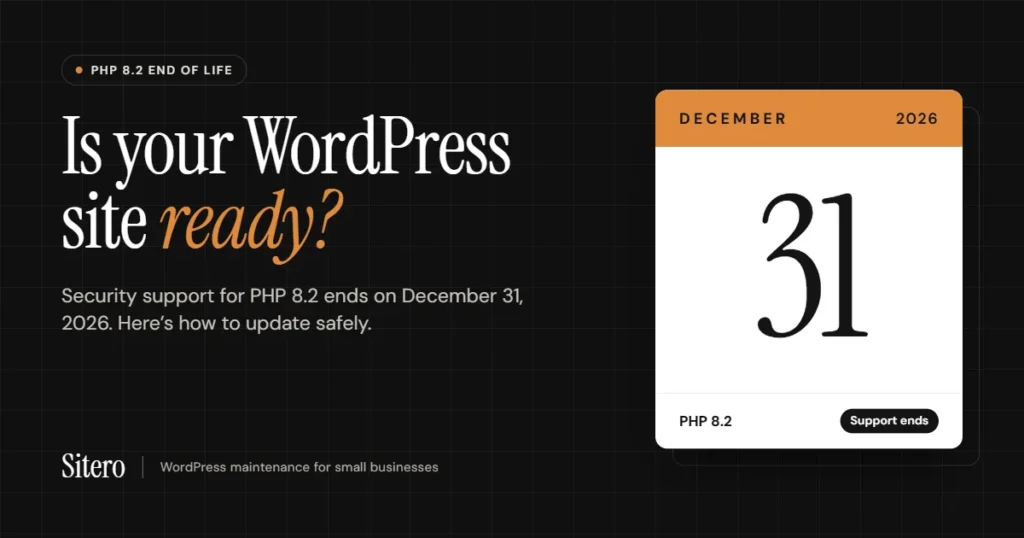
On December 31, 2026, PHP 8.2 reaches end of life and stops receiving security updates. If your WordPress website runs on PHP 8.2 or older, any new security hole found after that date will not be fixed for your version.
Most small business owners across the US never think about PHP, and that’s normal. Your site loads, the contact form works, so everything looks fine. But the software running underneath it has an expiry date, and for a lot of sites that date is about two months away, or has already passed.
This post explains what PHP is, which versions are still safe, and how to do a WordPress PHP update without breaking your website.
Whatis PHP?
PHP is the programming language WordPress is built on. Every time someone opens a page on your site, PHP runs on your hosting server to build that page, load your products, and process your forms.
Think of it like the engine in a car. You don’t see it, but if it’s old and no longer serviced, everything that depends on it is at risk.
Which PHP versions are still supported?
Each PHP version gets two years of active development, then one or two years of security fixes only. After that, it’s finished.
| PHP version | Security updates until | Status today |
| 7.4 and older | Already ended | Unsafe, update now |
| 8.0 and 8.1 | Already ended | Unsafe, update now |
| 8.2 | December 31, 2026 | Update before year end |
| 8.3 | December 31, 2027 | Supported |
| 8.4 | December 31, 2028 | Supported, recommended |
| 8.5 | December 31, 2029 | Supported, newest |
WordPress itself recommends PHP 8.3 or newer. For most business sites we recommend PHP 8.4 for WordPress, which is stable, fast and supported until the end of 2028.
Sources: PHP supported versions, WordPress core: dropping support for PHP 7.2 and 7.3
Why updating PHP matters
- Security. Once a version stops getting fixes, any newly discovered weakness stays open on every site still using it. Attackers scan the web for exactly these sites.
- Speed. Newer PHP versions run WordPress noticeably faster, so pages load quicker for visitors and for Google.
- Plugins and themes keep working. Plugin makers drop old PHP versions over time. Stay on old PHP and you eventually can’t install the updates that fix their own security issues
- Hosting. Many hosts charge extra for, or force-upgrade, sites left on retired PHP versions, often without warning.
- Peace of mind. An update planned now is calm and tested. One forced on you later by your host can break the site overnight
Will a new PHP version make my site malware-proof?
No, and anyone who promises that is overselling. No PHP version is “malware-free”. What a supported version gives you is security fixes when problems are found, which an outdated one never will.
Most hacked WordPress sites get in through outdated plugins, abandoned themes or weak passwords. So a PHP update works best as part of regular WordPress website maintenance, alongside WordPress security updates:
- Keep WordPress, plugins and themes updated
- Remove plugins you don’t use
- Use strong passwords and two-factor login for admins
- Keep automatic, off-site backups
How to check your PHP version
You can find it in under a minute:
- Log in to your WordPress dashboard.
- Go to Tools → Site Health → Info.
- Open the Server section and look for PHP version.
You can also see it in your hosting control panel, usually under a setting called “PHP Version” or “PHP Manager”. Not sure where to look? Send us your website address and we’ll check it for you.
How we update the PHP version inWordPress without breaking
your site
Switching PHP is one click in most hosting panels, and that’s exactly why sites break: old
plugins or custom code may not work on the new version. We never switch on the live site
first.
- Full backup of files and database, stored off-site.
- Compatibility check of your theme, plugins and any custom code against the new PHP version.
- Staging test. We copy your site, switch the copy to the new version and fix anything that breaks.
- Switch the live site once the copy works, usually in a quiet hour.
- Test everything again: pages, forms, checkout, bookings and emails.
- Monitor for a few days, with the backup ready if anything needs rolling back.
Your site stays online the whole time. Most visitors won’t notice anything, except that pages load a little faster
Frequently asked questions
Yes. An outdated PHP version doesn’t show any warning signs until something goes wrong. Working fine today doesn’t mean protected tomorrow.
No. All testing happens on a copy, and the live switch takes minutes.
We fix it on the copy before your live site is touched, and a full backup means we can roll back at any time.
Most business websites are done within a few days, including testing.
Many hosts will switch the version for you, but they won’t test your plugins or fix what breaks. That’s the part that matters.
Get a free PHP check before December 31
Not sure which PHP version your website runs, or whether your plugins are ready for an update? Send us your website address and we’ll check it for free and tell you exactly what’s needed, with a fixed price before any work starts. Sitero provides WordPress maintenance services for small businesses across the US, including PHP updates, security updates and backups
You can email us at ameer@sitero.org, call us at (732) 852-5208, or use the contact form on sitero.org.